
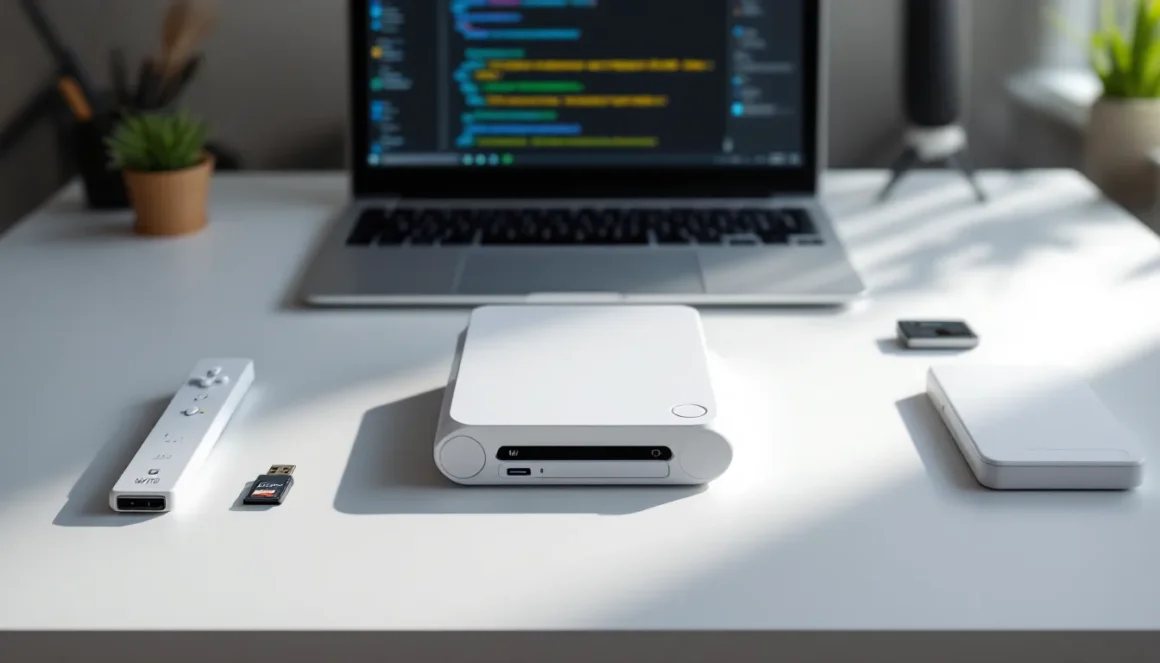
Modding a Wii might seem like a relic of the past, but the console’s modding scene is still thriving in 2026. Whether you’re looking to expand your game library, run emulators, or customize the interface, Wii modding opens up possibilities that Nintendo never officially intended. The good news? It’s more straightforward than ever. This guide walks you through everything you need to know about modding your Wii, from preparation to troubleshooting, so you can get the most out of your classic console.
Key Takeaways
- Modding Wii consoles through softmods is safer and more straightforward than ever, allowing you to run emulators, custom loaders, and homebrew applications without hardware modifications.
- The Homebrew Channel is the gateway to Wii modding and can be installed using save exploits from existing games like Twilight Princess or Brawl—and it remains completely reversible.
- USB Loader GX paired with custom IOS files lets you manage your entire game library on external storage, eliminating the need for physical game discs.
- Popular modding enhancements include retro emulators (Snes9x GX, Nestopia GX), custom system themes via MyMenuify, and creative ROM hacks that add new challenges and gameplay mechanics.
- Always keep a NAND backup before modding, use verified tools from trusted communities, and understand that owning physical games you back up digitally is distinct from downloading ROMs you don’t own.
- Common modding issues like USB compatibility problems and emulator slowdown are easily fixed by verifying FAT32 formatting, updating applications, and closing background apps to free up the Wii’s limited 88MB of RAM.
Understanding Wii Modding Basics
What Is Wii Modding And Why Do Gamers Do It
Wii modding refers to modifications made to Nintendo’s Wii console that allow it to run unauthorized software, homebrew applications, and custom games beyond what Nintendo permitted. Unlike hardware modifications that crack open the console, most Wii modding involves softmods, software-based changes that exploit firmware vulnerabilities.
Gamers mod their Wii consoles for several practical reasons. First, access to emulators means playing classic games from NES, SNES, Genesis, and arcade systems on a single device. Second, unlock your gaming potential with modding allows installation of backup loaders, letting players organize large game libraries efficiently. Third, the modding community has created custom themes, visual enhancements, and even ROM hacks that add fresh content to beloved titles.
Nostalgia plays a role, sure, but practical functionality drives most modders today. Many players own physical copies of games they want to preserve digitally, or they’re curious about unreleased prototypes and fan-made projects that never saw official release.
Different Types Of Wii Mods Explained
Not all Wii mods are created equal. Understanding the different approaches helps you choose what fits your needs.
Softmods are the most popular. These exploit firmware vulnerabilities and require no physical hardware changes. A softmod installs the Homebrew Channel directly to the system menu, giving you access to custom applications and loaders without opening the console. This is reversible and safer than hardware modifications.
Hardware mods involve installing a modchip inside the console. This is riskier because it requires soldering and voids your warranty immediately. While hardware mods offer more flexibility, most gamers stick with softmods since they achieve the same practical results with less risk.
Region mods allow playing games from different geographical regions. The Wii had region-locking built in, so a softmod can bypass this restriction. This matters if you collect Japanese imports or want access to games never officially released in your region.
Custom loaders like USB Loader GX let you run games directly from external storage without physical discs. These pair perfectly with softmods and have become the standard way to organize Wii game libraries in 2026.
Preparing Your Wii For Modification
Checking Your Wii System Version And Firmware
Before touching anything, you need to know what you’re working with. Different Wii firmware versions have different vulnerabilities, and some are easier to exploit than others.
Go to Settings on your Wii menu, then select System Settings. Note your System Menu Version, it’s displayed at the bottom right of the screen. As of 2026, most Wii consoles run version 4.3, which is actually ideal for modding. Earlier versions (4.0-4.2) are even easier to mod, while later updates patched some exploits but didn’t completely block all modding methods.
If your console is updated to 4.3, don’t worry, you’re in a sweet spot. Nintendo never released firmware beyond 4.3 (the Wii U is a different beast entirely), so your system is already at the highest official version. Record this information somewhere before proceeding.
Also check your Wii Menu background color. Early white Wii consoles from 2006-2007 are often easier to mod than later black units, though both work fine with current methods.
Essential Tools And Materials You’ll Need
Gathering the right tools beforehand saves frustration during the modding process. Here’s what you’ll actually need:
SD Card: Get a 2GB-32GB SD card (not SDHC). The Wii’s firmware has quirks with larger cards, though newer loaders support SDHC. A reliable, brand-name card like SanDisk or Kingston is worth the small investment, cheap knock-offs can corrupt during critical file transfers.
USB Drive (optional but recommended): A 8GB-32GB USB drive formatted as FAT32 is essential if you plan to use USB Loader GX for game storage. The Wii reads USB drives better than some SD cards, making this a solid backup option.
Computer: You’ll need a Windows, Mac, or Linux computer to prepare your SD card with the required files. Modern modding tools run on all three platforms without issues.
Homebrew Files: You’ll download these during setup, a collection of open-source applications like the Homebrew Channel installer. These are freely available and completely legal to possess (unlike copyrighted games).
External Hard Drive (optional): If you want to store dozens of games on your Wii, a USB 2.0 external hard drive works, though USB drives are more reliable. The Wii doesn’t support USB 3.0, so check compatibility before buying.
Installing A Softmod On Your Wii
Using The Homebrew Channel Method
The Homebrew Channel is the gateway to Wii modding. Once installed, it appears as a custom icon on your Wii menu, giving you access to all your modding tools and custom applications.
The most reliable method in 2026 uses a vulnerability in older games. If you own a copy of The Legend of Zelda: Twilight Princess, Super Smash Bros. Brawl, or Mario Kart Wii, you can use a save exploit to install the Homebrew Channel without needing to update or downgrade your firmware.
Here’s the basic process:
-
Prepare your SD card: Format it on your Wii itself. Insert the SD card into the Wii, go to Data Management, select SD Card, then choose Format. This ensures compatibility.
-
Download the exploit files: From a trusted modding resource, download the save exploit for your game. You’ll get a folder containing a modified save file.
-
Transfer the save to your SD card: Copy the exploit save folder to your SD card on your computer.
-
Load the save on your Wii: Insert the SD card, launch the vulnerable game (Twilight Princess is most common), and load the modified save. The game will appear to glitch, and you’ll see a prompt to install the Homebrew Channel.
-
Complete the installation: Follow the on-screen prompts. The Homebrew Channel will install directly to your Wii system menu within seconds.
Once installed, you’ll see a Homebrew Channel icon on your Wii menu. It looks different from Nintendo’s official apps, making it obvious that you’ve successfully modded the console.
The Homebrew Channel is completely reversible. If you ever want to remove it, you can delete it just like any other channel. This makes it the safest entry point to Wii modding.
Installing Custom Loaders And IOS Files
Now that the Homebrew Channel is installed, you have access to custom loaders, applications that let you run games from external storage instead of physical discs.
USB Loader GX is the gold standard as of 2026. It’s user-friendly, regularly updated, and works reliably with both USB drives and external hard drives. Before installing, you’ll need to prepare some supporting files.
The Wii needs custom IOS files to run loader applications properly. IOS stands for Internal Operating System, think of them as firmware modules that handle specific tasks. Official IOS versions came from Nintendo, but custom versions work better with loaders.
Here’s how to install custom IOS files:
-
Download IOS Patcher: This tool automates the process of installing custom IOS versions. Download it from a trusted modding community resource.
-
Prepare your SD card: Extract the IOS Patcher files to your SD card in the apps folder (create it if needed). Your structure should look like:
SD:/apps/IOSPatcher/boot.dol -
Run the patcher from Homebrew Channel: Insert your SD card, launch Homebrew Channel, select IOS Patcher, and let it install the necessary custom IOS files. This takes just a few minutes.
-
Install USB Loader GX: Download USB Loader GX, extract it to your SD card in the apps folder, then launch it from the Homebrew Channel.
Once USB Loader GX is running, you can add games to your USB drive and launch them directly. The loader supports pretty much every Wii game ever released and handles cover art, game descriptions, and custom organization automatically.
This is where modding your Nintendo experience really shines, you’ll have your entire game library accessible without hunting through disc cabinets.
Exploring Popular Wii Mods And Enhancements
Emulators And Retro Gaming Options
Once your Wii is softmodded, running classic emulators becomes straightforward. The Homebrew Channel hosts several excellent emulators that tap into the Wii’s processing power.
Snes9x GX is the best SNES emulator available on the platform. It supports the full SNES library with near-perfect accuracy, handles save states flawlessly, and even supports emulated controllers through adapters. Gamers running the Wii’s classic controller or third-party options can play SNES games exactly as intended.
Nestopia GX does the same for NES titles. The emulation quality is stellar, and the controller mapping is intuitive. You’ll get perfect scrolling and zero frame drops on even the most demanding NES games.
Genesis Plus GX covers Sega Genesis, Game Gear, and Master System titles. The accuracy is impressive, it handles audio and video quirks that many other emulators miss.
Mame4All brings arcade classics to your TV. Games like Pac-Man, Donkey Kong, Street Fighter II, and Metal Slug run beautifully. This is where emulation shines: the Wii’s motion controls even work with certain arcade games for a unique experience.
The modding community has optimized these emulators specifically for the Wii’s hardware. They run fast, load quickly, and handle save states better than emulators on less specialized hardware. You’ll find comprehensive ROM packs organized by platform in community forums and archives, legally, you should own the games you’re emulating, though enforcement is minimal.
Custom Themes And Visual Modifications
Beyond functionality, the modded Wii scene offers extensive visual customization. Custom themes replace the standard white or black menu with entirely different designs.
MyMenuify is the tool for installing custom themes. It modifies your system menu while keeping everything stable and reversible. There are hundreds of themes available, from recreations of older Nintendo systems (NES, SNES, N64) to completely original designs inspired by anime, gaming franchises, or minimalist aesthetics.
Popular themes include RetroWii (mimicking the original system interface), GameCube Edition (recreating the classic purple menu), and various third-party designs featuring characters from Smash Bros., Zelda, Mario, and beyond.
Wii menu customization also includes custom boot animations, the intro sequence that plays when you power on the console. These can be changed to match your theme or showcase custom artwork. Some creative modders have even created boot sequences that reference upcoming games or famous gaming moments.
Be cautious when installing multiple theme modifications. Each change modifies system files, and stacking too many can cause instability. Stick to one main theme plus one boot animation, and always keep a backup of your original system files.
Gameplay Enhancements And ROM Hacks
This is where Wii modding gets creative. ROM hacks, modified versions of existing games, introduce new challenges, storylines, and gameplay mechanics.
Popular ROM hacks include Super Mario World ROM hacks on emulators, Zelda: A Link to the Past randomizers (which shuffle dungeons and items for speedrun-friendly challenge runs), and Pokemon ROM hacks adding new regions, types, and mechanics.
The Wii itself hosts community-created Homebrew games developed from scratch by independent developers. Titles like Blob Wars: Metal Blob Solid (a Wii Homebrew action game) and Wiimake (a Wii creation tool) showcase what passionate developers can build for the platform.
Some community projects have gone surprisingly far. Fan remakes like Super Smash Bros. Legacy, a community-enhanced version of Brawl with balance tweaks and additional content, exist because of Wii modding infrastructure. The modding community around legacy fighting games is particularly active, players constantly refine balance, add characters, and improve net play compatibility.
Wii’s motion controls add another dimension to ROM hacks and Homebrew games. A hacked platformer might use gyro aiming instead of traditional buttons, or a puzzle game might leverage the motion controller in ways the original designers never explored.
These enhancements represent the core appeal of Wii modding: transform your gaming through modding and access creations that would never reach official distribution channels.
Troubleshooting Common Modding Issues
Fixing Bricked Wii Consoles
A “bricked” Wii is one that won’t power on or won’t get past the startup screen, it’s basically become a useless brick. This is rare with softmods, but it can happen if system files get corrupted during installation or if a poorly developed application crashes during boot.
The good news: most Wii bricks are recoverable.
Boot2 bricks are the mildest form. The console powers on, but the system menu won’t load. This usually happens if system files get corrupted. Solution: Boot into the Homebrew Channel (if it’s still accessible) and use tools like Wii Backup Manager to restore missing system files. If Homebrew won’t launch, you can often access recovery mode by holding specific buttons during startup.
Font bricking causes the system to get stuck during menu loading because essential font files are missing or corrupted. This is fixable by reinstalling the correct font package through Homebrew tools. It’s annoying but not permanent.
Bad block bricking is more serious, it means the physical NAND memory has developed bad sectors. This is rare and usually only happens after countless failed writes or extremely poor modding practices. If this occurs, you’ll need a NAND backup and restore tool or, as a last resort, a hardware modchip to reflash the console.
The best prevention is using established, stable tools from the modding community. Check Nintendo modding communities for recommendations on which applications are currently stable. Avoid beta software and tools from unverified sources.
Always keep a backup of your system NAND before installing major mods. Tools like BootMii create full system backups that you can restore if something goes wrong. This is your insurance policy.
Resolving Compatibility And Performance Problems
Compatibility issues are more common than bricking and easier to fix.
USB Loader problems: Games won’t launch from USB Loader GX. First, check that your USB drive is formatted as FAT32. The Wii doesn’t reliably work with NTFS or ExFAT. Second, verify that your game files are intact, corrupted ISO or WBFS files won’t launch. Third, update USB Loader GX to the latest version: recent releases fixed several compatibility issues with newer USB drives and external hard drives. This is critical for proper gaming setup and performance.
Emulator slowdown: SNES or Genesis emulators running slow or choppy. This usually means you’re running too many background applications. Close any unnecessary Homebrew apps, especially network tools. The Wii only has 88MB of RAM, and loaded software competes for that space. Restart the emulator, and performance should improve dramatically.
Controller issues: Wiimotes or Classic Controllers not responding properly in games or loaders. Pair your controllers again through Wii Settings. If that doesn’t work, update your Homebrew applications, controller compatibility sometimes improves with newer releases. Some third-party controllers have compatibility issues: if problems persist, try with official Nintendo controllers.
Save file corruption: Games won’t load your save data. This happens if the save format got corrupted or if the loader’s save management has issues. USB Loader GX has a built-in save extractor tool. You can export your saves to your SD card, try launching the game on a different method, and reapply the save. Sometimes this requires starting fresh, but your data isn’t lost, just inaccessible through the normal menu.
Internet connection failures: Network-dependent Homebrew apps won’t connect. The Wii’s Wi-Fi module is old and struggles with modern security protocols. If your router uses WPA3, downgrade it to WPA2 in your router settings, or connect via the Wii LAN adapter (a USB ethernet adapter). Many newer Wi-Fi networks are simply incompatible with the Wii’s 802.11b standard.
Most modding issues trace back to either corrupted files or outdated tools. Keeping your Homebrew applications and loaders updated to their current versions (as of 2026) solves the majority of problems.
Safety, Legal, And Ethical Considerations
Modding your Wii exists in a gray zone legally, and it’s worth understanding the implications before proceeding.
Legal reality: Modifying your own console for personal use falls under a gray area in most countries. The DMCA (Digital Millennium Copyright Act) in the United States technically prohibits circumventing copy protection, even for devices you own. But, enforcement against individual hobbyists is virtually nonexistent. Nintendo doesn’t actively pursue softmod users, they’re more concerned with large-scale piracy operations.
That said, distributing copyrighted games through your modded Wii or downloading ROMs of games you don’t own crosses into illegal territory. The modding software itself (Homebrew Channel, USB Loader) is legal. The games you run on it matter.
Fair use and preservation: A legitimate gray area exists around game preservation. If you own physical copies of games, backing them up to run through USB Loader is arguably protected under fair use in many jurisdictions. You’re preserving access to media you’ve purchased, not distributing it. But this isn’t tested in court, so it remains technically uncertain.
Safety concerns: Softmodding your Wii is extremely safe, it’s software-only, reversible, and won’t damage your console. Hardware modding (installing a modchip) is riskier because it requires soldering and voids your warranty. There’s a small risk of damaging internal components if you’re not comfortable with electronics. Stick with softmods unless you have soldering experience.
Nintendo’s stance: Nintendo doesn’t publicly endorse modding, but they also don’t actively fight it anymore. The Wii was released in 2006 and is no longer sold or officially supported. The company’s resources are focused on current platforms like the Switch. Modding a Wii in 2026 isn’t viewed as a major threat by Nintendo.
Ethical gaming: The difference between modding and piracy matters. Running emulators of games you own, exploring Homebrew applications, or modifying your own system is ethical. Downloading ROMs of games you don’t own, distributing copyrighted material, or selling modded consoles with pirated games crosses an ethical line. Be the former, not the latter.
Many longtime gamers mod their Wii specifically to preserve their game collections digitally. Disc degradation is real, the Wii’s proprietary discs degrade over time, sometimes becoming unplayable after 15-20 years. Backing up your library isn’t piracy: it’s preservation.
Conclusion
Modding your Wii in 2026 is easier and safer than it’s ever been. The Homebrew Channel method is straightforward, reverting to an unmodded state takes minutes, and the community has spent two decades refining tools and eliminating stability issues. Whether you want to relive emulated classics, organize your game library on USB, or customize your system’s appearance, the infrastructure is mature and accessible.
The key is using established tools from reputable sources, keeping backups of your system files, and understanding the legal boundaries, especially about copyrighted games. A softmodded Wii is purely beneficial if you respect intellectual property and use it for personal enjoyment.
Start with the Homebrew Channel, move to a custom loader like USB Loader GX, then explore emulators and customizations at your own pace. There’s no rush. Most modders spend weeks discovering what’s possible with a modded console before settling on their final setup.
Your original Wii is still a capable machine in 2026. Modding doesn’t break it, it unlocks potential that’s been sitting dormant since Nintendo discontinued official support years ago.