
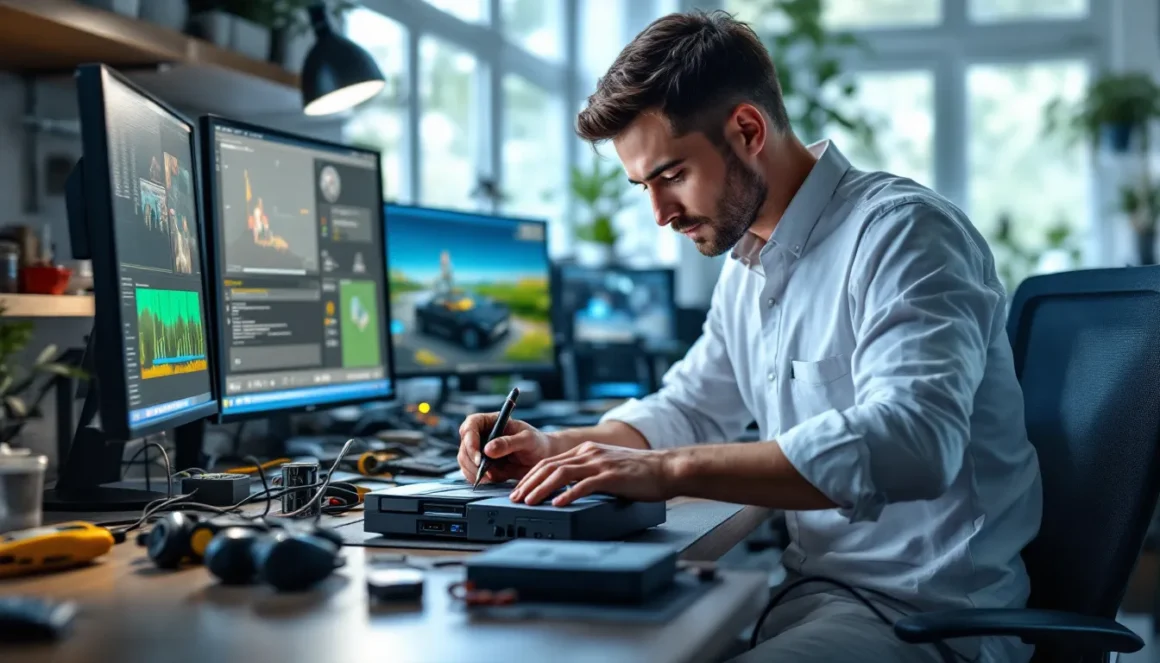
The PlayStation 2 isn’t dead, not by a long shot. Even in 2026, PS2 modding remains one of the most accessible entry points into console modification for hobbyists and collectors. Whether you’re looking to play homebrew games, run backups of your own discs, or simply explore what’s possible with a console that’s over two decades old, PS2 modding has evolved into a surprisingly straightforward process. The barrier to entry is lower than ever, the community is active and helpful, and the hardware itself is dirt cheap if you’re starting from scratch. But jumping in without understanding the risks, methods, and legal landscape can lead to wasted time, bricked consoles, or worse. This guide breaks down everything you need to know about PS2 modding in 2026, the what, the how, and the why, so you can make an well-informed choice before you crack open your console.
Key Takeaways
- PS2 modding has become more accessible than ever with FreeMcBoot software exploits eliminating the need for soldering, making it an entry-friendly modification method for beginners.
- Two primary PS2 modding approaches exist: hardware-based chip installations for maximum compatibility and software-based solutions like FreeMcBoot for reversibility without opening your console.
- The legal landscape for PS2 modding remains murky but largely unenforced, with modifying your own console for personal backups of owned games sitting in a legally gray area while commercial reselling remains risky.
- PS2 modding enables access to homebrew games, emulators, custom utilities, and consolidation of physical game libraries onto USB storage, significantly extending the lifespan of aging hardware.
- Common PS2 modding issues like failed FreeMcBoot boots, corrupted ISOs, or USB compatibility problems have documented solutions, and the active community on forums and Discord servers provides reliable troubleshooting support.
- Total cost for PS2 modding typically ranges from $30–$100 in hardware parts, making it a cost-effective alternative to purchasing rare original games that can command prices rivaling new releases.
What Is PS2 Modding and Why Gamers Are Still Doing It Today
PS2 modding refers to the practice of modifying a PlayStation 2 console to run unauthorized or homebrew software, custom configurations, or game backups. It’s not a new phenomenon, modding communities have been active since the early 2000s, but what’s changed is accessibility and purpose.
Today’s modders aren’t necessarily trying to pirate games en masse. Many are archivists, preservationists, and nostalgia enthusiasts who own extensive PS2 libraries and want to consolidate them onto a single hard drive. Others are curious developers exploring homebrew projects. Some are simply enthusiasts who want to squeeze every ounce of capability out of aging hardware before consoles disappear into landfills.
The PS2’s longevity as a modding target makes sense: it sold over 155 million units, has a massive back catalog of legitimate titles, and the hardware is robust enough to withstand modification attempts. Unlike modern consoles with proprietary storage and constant online checks, the PS2 is relatively forgiving. A failed mod attempt often means a reboot or a format rather than a permanently dead console.
There’s also a practical angle. Complete PS2 games are increasingly expensive on the secondhand market. Rare titles like Suikoden II or Panzer Dragoon Saga command prices that rival new releases. For collectors, modding offers a way to enjoy their owned games without the wear and tear of swapping physical discs every five minutes.
The Different Types of PS2 Modifications Available
PS2 modding isn’t a one-size-fits-all situation. There are multiple approaches, each with different trade-offs in terms of difficulty, cost, reversibility, and capability.
Hardware Modifications vs. Software-Based Solutions
Hardware modifications involve physically opening the console and installing components, typically a mod chip or a network adapter. These are more invasive, require some soldering skill or pre-soldered components, and can’t be easily undone. But, they offer maximum compatibility and stability.
Software-based solutions exploit vulnerabilities in the PS2’s firmware or file system. They don’t require soldering and are often reversible by simply deleting files from a memory card. The trade-off is that they’re sometimes less stable, require specific hardware configurations, and may have limited game compatibility depending on the method used.
The most popular hardware method is the mod chip, a small circuit board installed internally that patches the boot sequence. This allows the console to run unsigned code from the DVD drive. Older models like the “Fat” PS2 (SCPH-10000 to SCPH-39000) are easiest to chip due to simpler architecture, while newer “Slim” models (SCPH-70000 and later) require more complex installations.
On the software side, FreeMcBoot has become the de facto standard. It’s a memory card exploit that works without opening the console, making it the entry point for most new modders in 2026. Its main limitation is that it requires access to a specific vulnerability in early firmware versions or a pre-modded system, but once installed, it’s incredibly flexible.
Popular Modding Methods and Techniques
Chip Installation and Network Adapter Modifications
Modding via chip installation has been the gold standard since the early 2000s. The process involves:
-
Identifying your console model – The SCPH number on the bottom determines which chips are compatible and how complex installation will be. SCPH-10000 to SCPH-39000 (first and second generation Fat models) are simplest: SCPH-50000 and SCPH-70000 (later Fat and Slim) require more precision soldering.
-
Sourcing a compatible chip – Popular options include the Matrix chip, Messiah chip, and Xplorer chip. These vary in features and compatibility. Pre-soldered chips are available but pricier: solder-yourself versions require moderate soldering skill.
-
Installing the chip – This involves desoldering the existing boot BIOS chip or, on newer models, installing a daughter board and running thin wires to specific points. It’s delicate work: one slip and you’ve permanently damaged the motherboard.
-
Testing and configuration – Once installed, you configure the chip to allow DVD backups, network play, or homebrew execution. Quality of life here depends on the specific chip, some allow you to toggle between original and modded modes with a button press.
The network adapter path is less common now but worth mentioning. Early modders used the network adapter (originally intended for online play) to load exploited saves from a connected PC. This method is outdated since software solutions have superseded it.
FreeMcBoot and Memory Card Exploits
FreeMcBoot is arguably the biggest shift in PS2 modding accessibility. It’s a firmware exploit delivered via a specially formatted memory card that boots custom code before the PS2’s normal operating system loads. Here’s why it dominates in 2026:
- No opening required – Your console stays intact, unmodded, and reversible.
- Works on any firmware version – As long as you have a compatible memory card or access to a pre-modded one.
- Enables broad functionality – Once installed, FreeMcBoot loads OPL (Open PS2 Loader), a custom dashboard that runs ISO files from a USB drive or network location, plays homebrew, and manages saves across multiple storage devices.
The catch: You need either a disc that exploits an early firmware version (increasingly rare) or a pre-made modded memory card. Many community members sell pre-modded cards, though this has become a gray area about distribution legality.
Once FreeMcBoot is installed on a memory card, configuration is straightforward. Copy OPL onto a USB drive, format it properly, and point OPL toward your game ISOs. The performance is nearly identical to the original disc version, with the bonus of eliminating load times from physical media.
Essential Tools and Materials You’ll Need
What you need depends entirely on your chosen method. Here’s a breakdown:
For FreeMcBoot (Software-Only) Installation:
- A PS2 console (any model, any region)
- A compatible memory card or pre-modded memory card
- A PC or laptop with basic tools (file explorer, ISO management)
- A USB drive (formatted to FAT32) for storing games
- Optionally, a network adapter if you prefer to stream games over Ethernet
For Chip Installation (Hardware Modification):
- A soldering iron (25W minimum, 40W recommended) and solder
- Flux and desoldering braid or a solder sucker
- A precision screwdriver set (Torx T8 and T9 are common)
- The mod chip itself (Matrix, Messiah, etc.) or a pre-soldered daughter board
- Thermal paste (if you’re replacing the heatsink)
- A multimeter for testing continuity and power
- Steady hands and patience, this isn’t a five-minute job
- Ideally, a magnifying lamp and a clean, static-free workspace
Optional but Recommended for Any Method:
- An external hard drive for backing up your game ISOs (many modders maintain 50GB+ libraries)
- A game backup tool like IsoBuster or DiscJuggler (if you’re making your own ISO files from owned discs)
- A memory card manager utility like mymc or Memcard Pro for organizing saves and homebrew
The good news: Even if you go the hardware route, the total cost usually runs $30-$100 in parts, depending on whether you source used chips or buy pre-soldered boards. Compare that to hunting down rare original copies of games on eBay, and the ROI is obvious.
Step-by-Step Process for Getting Started with PS2 Modding
Let’s walk through the most beginner-friendly method: FreeMcBoot installation. If you decide to pursue hardware modding later, the fundamentals are similar.
Step 1: Assess Your Hardware
Determine your console’s SCPH number (on the bottom sticker) and firmware version (settings menu). Not all firmware versions can run FreeMcBoot natively, you’ll need either a version that’s exploitable or access to someone else’s pre-modded memory card. The modding community maintains updated compatibility lists, and resources like Push Square often cover the latest compatibility updates.
Step 2: Obtain a Compatible Memory Card or Boot Device
If your firmware is compatible (versions 1.00 to some variants of 2.1 are most vulnerable), you can exploit your own memory card using disc-based exploits or online tools. If not, you’ll need to acquire a pre-modded memory card from a trusted community member. This is legally murky, you’re not purchasing the exploit itself, just a card with data on it, but vendors tread carefully here.
Step 3: Format Your USB Drive
Format a USB drive to FAT32 (not NTFS). Most modern drives ship in exFAT or NTFS, so you’ll need to reformat via your PC. This is crucial: OPL won’t recognize games on other file systems. Windows File Explorer has a built-in format tool: Mac users will need a third-party utility.
Step 4: Prepare Your Game Library
Gather ISO files of games you own. If you’re creating these yourself from physical discs, use a tool like IsoBuster on Windows or equivalent on Mac. If you’re sourcing them, ensure you’re downloading from legitimate archives (this is where due diligence matters legally). Organize them into folders on the USB drive, OPL will scan and display them nicely.
Step 5: Install OPL and Boot Into FreeMcBoot
Download the latest OPL release from the community repositories. Copy it to your formatted USB drive. Insert the modded memory card into the PS2 and power on. If everything is configured correctly, FreeMcBoot will load before the standard PS2 menu appears. From there, you’ll navigate to OPL, which scans your USB drive and displays your game library.
Step 6: Test and Troubleshoot
Launch a game. If it boots cleanly, congratulations, you’ve successfully modded your PS2. If it crashes or hangs, the likely culprits are:
- Corrupted ISO file (re-dump the game)
- USB drive not properly formatted (try reformatting)
- OPL incompatibility with your console model (try an older OPL version)
The modding community is surprisingly helpful: forums and Discord servers have dedicated support channels where users troubleshoot these exact issues daily. Unlike modern console modding, where Sony actively prosecutes, the PS2 scene is largely left alone. This means communities are open, documentation is thorough, and veteran modders rarely gatekeep solutions.
Risk Factors and Important Legal Considerations
This is where we get real. PS2 modding isn’t technically illegal in most countries, modifying hardware you own is generally protected, but the lines blur depending on intent and execution.
Legal Gray Areas:
Modifying your own console for personal use sits in murky legal territory. The Digital Millennium Copyright Act (DMCA) in the US technically prohibits circumventing copy protection, which mod chips do. But, enforcement is selective. Sony abandoned the PS2 decades ago, and there’s no active prosecution for individual modders. But selling pre-modded consoles, distributing modding tools with the express intent of piracy, or running commercial modding services is legally risky.
The safest approach: Only run games and software you legally own or have the right to use. This means:
- Backups of discs you personally own
- Homebrew software (all open-source, all free)
- Games you’ve purchased digitally with verified licenses
- Abandonware with explicit permissions from rights holders (rare)
If you’re downloading ISO files online, you’re walking a line. Technically, circumventing copyright protection is the questionable part, not downloading files. But combined with modding, it paints a legal target on your back if Sony or a publisher decides to act.
Practical and Technical Risks:
- Console damage – Soldering mistakes, static discharge, or hardware incompatibility can permanently break your PS2. Replacement consoles are cheap, but your data isn’t transferable.
- Bricking – A failed mod chip installation or corrupted firmware can leave your console unable to boot. It’s sometimes recoverable, often not.
- Game incompatibilities – Not all games run flawlessly through OPL. Some have minor graphical glitches, audio issues, or require specific configurations. Older ISOs dumped with outdated tools may not work on modern OPL builds.
- Data loss – If your USB drive fails or gets corrupted, you lose your entire library. Always maintain backups on an external hard drive.
Mitigation Strategies:
- Use pre-soldered mod chips if you’re not experienced with soldering
- Stick with FreeMcBoot for maximum reversibility
- Test with one or two games before installing your entire library
- Document which OPL version works best with your specific console model and games
- Keep a second USB drive as a backup of your game library
- Join community forums before you run into problems: experienced modders can often remote troubleshoot
Expanding Your PS2 Library: Homebrew Games and Custom Content
Once your PS2 is modded, the real fun begins. Beyond running backups of original games, you can explore homebrew, fan-made games, emulators, utilities, and creative projects that wouldn’t exist without modding communities.
Homebrew Games:
The PS2 homebrew scene produced hundreds of games over the years. Some are polished indie titles: others are experimental projects that never left beta. Notable examples include:
- Beats of Rage – A Streets of Rage-style beat-em-up remake
- Athena – A platformer with surprisingly solid controls and level design
- Neolitera – A dungeon-crawler roguelike with retro aesthetics
- Payback – A Grand Theft Auto-inspired top-down shooter
These games won’t rival AAA releases, but they offer unique mechanics and creative risks that commercial releases rarely take. Many are free: a few have small donation requests from creators.
Emulators and Retro Gaming:
PS2 modding opens the door to running emulators for NES, SNES, Genesis, Arcade, and other systems. This is controversial legally (emulators themselves are legal: the ROMs you’d run on them often aren’t), but it’s one reason many hobbyists mod their PS2s, consolidating their entire retro collection on one device.
Custom Tools and Utilities:
The community has developed hundreds of tools:
- MyMC – A memory card manager that backs up saves, imports custom saves, and organizes data
- Lemote – A PC-to-PS2 communication tool for transferring files
- PopStarter – A custom bootloader for running original PS1 games on the PS2
Many of these are niche, but if you’re optimizing your setup, they’re incredibly useful.
Game Mods and ROM Hacks:
The broader modding ecosystem extends beyond the PS2 community. Platforms like Nexus Mods catalog thousands of community-created modifications for other games, but ROM hacks and game mods for PS2 titles are scattered across forums and personal websites. Finding them requires digging into community archives.
The barrier here is that many PS2 games aren’t easily moddable, the proprietary formats and compression make editing difficult compared to modern games. But some titles like Metal Gear Solid 3 or Devil May Cry have small modding communities that have created texture replacements, gameplay tweaks, and cosmetic enhancements.
Troubleshooting Common Modding Issues
Even with preparation, modding hiccups happen. Here are the most common problems and fixes:
Problem: FreeMcBoot Won’t Boot
Likely causes: Memory card isn’t genuine FreeMcBoot (it’s corrupted or was improperly made), console firmware version isn’t compatible, or the memory card slot has debris.
Fixes: Try the memory card in a different PS2 console if possible. Clean the card contacts with a dry cloth. If you made the FreeMcBoot card yourself, re-dump or re-download the exploit and try again. Check compatibility lists to confirm your console’s firmware version actually supports FreeMcBoot.
Problem: Games Won’t Launch from OPL
Likely causes: ISO file is corrupted, USB drive isn’t properly formatted (needs to be FAT32, not exFAT), game has compatibility issues with your OPL version, or the USB port has a connection problem.
Fixes: Test with a known-working game ISO. Reformat the USB drive to FAT32 using a Windows PC or Mac utility. Update OPL to the latest version. Try a different USB port or a different USB drive entirely. Some older slim PS2s are picky about USB drive brands: if one doesn’t work, try another.
Problem: Audio/Video Issues During Gameplay
Likely causes: OPL configuration doesn’t match your console model, audio codec mismatch, or the ISO was dumped with settings incompatible with your region-locked console.
Fixes: In OPL’s settings menu, experiment with different output modes (PAL vs. NTSC, aspect ratio, audio output). Some games require specific OPL configurations: community forums often have per-game recommendations. If an ISO works fine on someone else’s console but not yours, the dump itself might be region-specific.
Problem: Mod Chip Installation Failed (Console Won’t Boot)
Likely causes: Poor solder joints, incorrect chip wiring, static damage to components, or incompatibility between chip and motherboard revision.
Fixes: If you installed it yourself, use a multimeter to check continuity on all solder joints. Look for cold solder (dull, blobby joints instead of shiny, smooth ones) and reflow them. Compare your wiring against installation guides for your specific console model. If the console still won’t boot, you may have damaged the motherboard, this is often irreversible unless you can identify which component failed and replace it.
Problem: USB Drive Not Detected by OPL
Likely causes: USB drive not formatted to FAT32, file structure is incorrect, or PS2’s USB port is failing.
Fixes: Reformat the USB drive on a PC using FAT32. Ensure your game ISOs are in a folder OPL recognizes (usually “PS2ISO” or similar, check current OPL documentation). Try a different USB drive. Try all PS2 USB ports (front and back if your model has both). If nothing works, the PS2’s USB controller may be failing, which is a hardware replacement issue.
Community Resources:
For persistent problems, the modding community has multiple support channels. Forums like PSTwo.net and PS2 Homebrew (both active as of 2026) host troubleshooting threads where veterans help diagnose issues. Discord servers dedicated to PS2 modding also offer real-time support. Unlike modern console modding, where resources are gatekept, the PS2 scene is remarkably open, experienced modders regularly spend time helping beginners because the console is essentially abandonware at this point.
Conclusion
PS2 modding in 2026 is more accessible, better documented, and lower-risk than it’s ever been. The shift from mandatory soldering to FreeMcBoot software exploits has opened the door for non-technical users, while the community’s maturity means you’re never alone if something goes wrong.
The decision to mod your PS2 eventually comes down to intent and comfort level. If you want to consolidate a physical game collection onto a single device, preserve aging hardware, or explore homebrew and retro gaming, modding makes sense. If you’re looking for a quick piracy solution or don’t already own the games you want to play, the legal and ethical calculus shifts.
What’s changed since the early modding days isn’t the technical feasibility, it’s that the hardware is old enough that modification feels less like hacking and more like restoration. You’re not circumventing an active security ecosystem: you’re giving new life to hardware that manufacturers abandoned years ago. The tools, knowledge, and community support are there. The barrier to entry is lower than it’s been in two decades. Whether you jump in depends on how curious you are about what your PS2 can really do.