
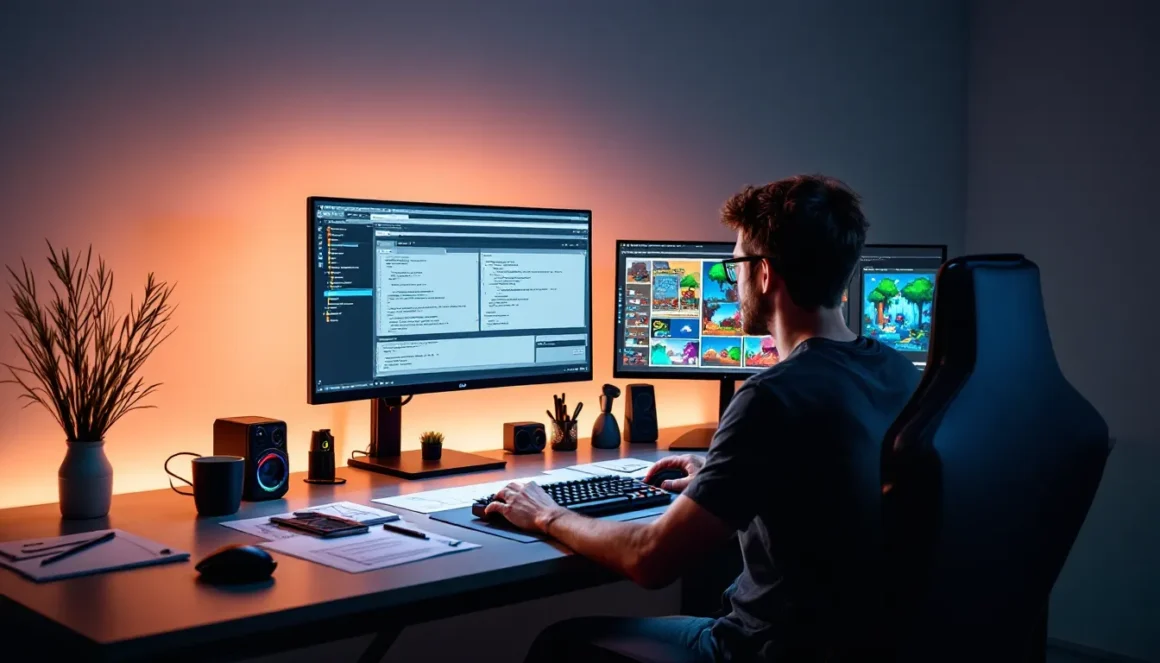
Terraria has been a staple of the sandbox adventure genre since 2011, but its real longevity comes from modding. The community-driven modding scene transforms this 2D pixel adventure into something endlessly customizable, whether you’re looking to tweak gameplay balance, add hundreds of new bosses and items, or completely overhaul how the game plays. By 2026, the modding infrastructure is more robust than ever, with tModLoader serving as the backbone for virtually all modern Terraria modifications. Whether you’re a casual player curious about installing a few tweaks or an aspiring mod developer, this guide covers everything you need to know about Terraria modding in 2026.
Key Takeaways
- Terraria modding is built on tModLoader, a community-driven framework that lets players customize gameplay without editing core game files, making modding safe and accessible for all players.
- Popular Terraria mods range from quality-of-life improvements like Better Lanterns to massive content expansions like Calamity, which adds 50+ bosses and completely reimagines post-game progression.
- Installing mods through tModLoader’s built-in browser takes just minutes: launch the app, search for mods, download, and enable them—no manual file management required.
- Creating your own Terraria mod is achievable for beginners using C# and the tModLoader API, with basic competency taking just 2-4 weeks of part-time learning.
- For a stable modded experience, limit active mods to 10-20, avoid stacking multiple massive content mods together, and always check compatibility notes before enabling new mods.
- The Terraria modding community offers direct collaboration between creators and players, making it an ideal entry point for aspiring game developers to learn real programming and design skills.
What Is Terraria Modding?
Terraria modding refers to the practice of modifying the game’s code, content, and mechanics to create new experiences. Unlike many games, Terraria wasn’t designed with official modding tools, the community built its own through reverse engineering and collaborative development. This grassroots approach created an incredibly flexible ecosystem where virtually any aspect of the game can be changed.
At its core, Terraria mods range from simple quality-of-life tweaks to total conversion overhauls. A mod might add new items and recipes, introduce entirely new biomes and bosses, rebalance existing mechanics, or inject visual overhauls that make the pixel art pop. Some mods are small experiments: others are massive projects that rival full game expansions in scope.
The foundation of modern Terraria modding is tModLoader, a framework that loads modifications without requiring direct edits to the game’s core files. This approach keeps mods compatible with updates and prevents save file corruption. Most popular mods available today are built on tModLoader, making it the de facto standard for anyone serious about customization.
Why Mod Terraria?
The appeal of Terraria modding goes beyond simply adding more content, it addresses the fundamental desire to make games feel personal and fresh. After hundreds of hours in vanilla Terraria, even dedicated players hit a plateau. Mods solve this by extending replay value, refining frustrating mechanics, and letting players customize their experience to match their playstyle.
Enhanced Gameplay Mechanics
Vanilla Terraria is solid, but it has mechanical quirks that can feel dated compared to modern action games. Quality-of-life mods fix small annoyances: better inventory management, improved NPC housing systems, smarter boss summoning, and tweaked enemy spawn rates. These seemingly minor adjustments compound into a noticeably smoother experience.
Beyond QoL, there are mods that fundamentally alter how combat works. Some add new weapon types with unique playstyles, others rebalance progression curves to feel more rewarding, and a few introduce entirely new combat systems inspired by other genres. A player who found Terraria’s difficulty curve frustrating might discover that a difficulty modifier makes their preferred challenge level finally click.
Extended Content And Replayability
The most popular modding projects add staggering amounts of new content. Mods like Calamity introduce dozens of new bosses, each with unique mechanics and attack patterns that rival the base game’s hardest encounters. Thorium adds entirely new classes with exclusive weapons and playstyles. Tremor expands the pre-hardmode experience with new biomes, ores, and progression steps.
These expansions mean players can invest hundreds of additional hours before exhausting the game. New content also changes the meta, suddenly a weapon type that felt useless in vanilla becomes central to a boss strategy. The replay value isn’t just “more of the same”: it’s “a fundamentally different game.”
Creative Expression And Community
Modding isn’t just consumption: it’s participation. Creating a mod means joining a community of developers, artists, and enthusiasts who collaborate across forums, Discord servers, and GitHub repositories. The process of learning to mod teaches actual game development skills: programming, art, design, and debugging. Many professional developers cite their modding journey as their entry point into the industry.
Even for players who never create, the modding community fosters genuine connection. Mod developers respond to feedback, update based on player suggestions, and maintain their projects across years of game updates. This direct relationship between creator and player is far more engaging than corporate game development.
Getting Started With Terraria Modding
Before diving into installation or creation, it’s essential to understand the tools and requirements. The modding journey starts with a single piece of software and a couple of configuration steps.
Understanding tModLoader
tModLoader is a free utility that functions as a mod loader for Terraria. Think of it as a bridge between the vanilla game and your modifications, it intercepts the game’s startup process and injects mod content before the main game initializes. This approach means your save files, settings, and core game remain untouched.
The loader maintains a database of installed mods and handles version management. When you launch tModLoader, you select which mods to enable for that session, and it compiles them into the running game. This modular approach means you can experiment with different mod combinations without breaking anything permanent.
tModLoader works on PC (Windows and Linux) exclusively. Mac users face compatibility challenges and typically resort to workarounds. Console versions (PS4, Xbox, Switch) don’t support mods directly. Mobile versions also lack modding support.
System Requirements And Setup
Terrraria modding has surprisingly modest PC requirements. You need Windows 7 or newer (or Linux), at least 4GB RAM, and a 2GB free hard drive space for the game and mods. A modern multi-core processor helps with load times, but modding doesn’t require a high-end gaming rig.
Setup is straightforward:
- Install Terraria (Steam, GOG, or standalone) on PC.
- Download tModLoader from Steam (search “tModLoader” in the store) or from the official GitHub repository.
- Launch tModLoader instead of vanilla Terraria, it creates a separate game instance, so your vanilla save files remain untouched.
- Access the Mods menu within tModLoader to browse and download mods directly through the built-in browser.
The entire setup process takes fewer than 10 minutes. tModLoader essentially acts as a second instance of Terraria with modding capabilities, running independently from your vanilla installation.
How To Install Mods For Terraria
Installation is the gateway to the modding experience, and the process is friendlier than most games. tModLoader handles most of the complexity automatically.
Step-By-Step Installation Process
The simplest way to install mods is through tModLoader’s built-in browser:
- Launch tModLoader and wait for it to fully initialize.
- Click the “Mods” button on the main menu.
- Select “Download Mods” to access the browser (alternatively, “Open Mods Folder” lets you manually add mods).
- Search for a specific mod by name or browse popular/recent mods in the list.
- Click the mod’s listing to see details, ratings, and dependencies.
- Click “Download” and tModLoader handles installation automatically.
- Enable the mod by toggling it on in the Mods menu.
- Reload mods or restart Terraria to apply changes.
For experienced players preferring manual installation, the process involves:
- Downloading mod files (.tmod format) from sites like Nexus Mods or the official tModLoader browser.
- Placing .tmod files in your Terraria/tModLoader mods folder (typically
Documents/My Games/Terraria/tModLoader/Mods). - Launching tModLoader, which auto-detects new mods.
- Enabling them through the Mods menu and reloading.
Dependencies matter, if a mod requires another mod to function, tModLoader alerts you to missing dependencies before loading. Allowing it to auto-download dependencies is the easiest approach.
Troubleshooting Common Installation Issues
Most installation problems fall into predictable categories:
“Mod failed to load” errors: This typically means version incompatibility. Mods are built for specific tModLoader and Terraria versions. If you recently updated Terraria, mods may need updates. Check the mod’s page for version notes and update when the developer releases compatibility patches.
Crashes on startup: Usually caused by mod conflicts. Try disabling mods one at a time to identify the culprit. Some mod combinations simply don’t work together: once identified, either remove the conflicting mod or load them in a different order (covered in the Best Practices section).
Missing dependencies: tModLoader should auto-detect these, but if a mod won’t load, check its page for required mods. Download those dependencies first and enable them before the dependent mod.
Corrupted save files: This is rare with modern tModLoader, but removing mods mid-playthrough on an old save can cause issues. Always back up saves before making large mod changes. Save files are found in Documents/My Games/Terraria/Players and Worlds.
Mods not appearing in browser: Clear tModLoader’s cache by deleting the cache folder in your Terraria directory, then restart. If mods still don’t appear, check your internet connection, the browser requires online access to populate the mod list.
Popular Terraria Mods To Try
The modding ecosystem is vast, with hundreds of active projects. These categories represent the most impactful and well-maintained mods available in 2026.
Quality-Of-Life Improvements
QoL mods don’t add content: they refine the experience:
- Boss Checklist: Displays boss progression with checkmarks and summoning tips. Essential for tracking which bosses you’ve defeated and planning next encounters.
- Fishing Rebalance: Improves the fishing system, making it less tedious while maintaining reward balance.
- Better Lanterns: Automatically places lanterns while building, saving hours of manual setup.
- Imksushi’s Mods: A collection of small tweaks covering inventory management, NPC happiness clarity, and UI improvements.
- Thorium’s Convenience: Streamlines various UI elements and adds convenience features without altering core mechanics.
These mods are safe to combine, they rarely conflict because they operate independently of balance systems.
Massive Content Expansions
When players refer to “Terraria modding,” they usually mean these sprawling expansions:
- Calamity Mod: The largest and most popular overhaul, Calamity introduces 50+ new bosses, 1000+ items, entirely new post-Moon Lord progression, and completely reimagined difficulty tiers. It’s essentially a second game built on Terraria’s engine. The mod has sponsored development teams and updates regularly.
- Tremor Mod: Focuses on expanding early and mid-game content. Adds new bosses, biomes, and progression steps that feel like missing pieces of the base game.
- Thorium Mod: Introduces four new classes (Bard, Healer, Summoner variants) with unique playstyles and progression paths. It’s designed to be compatible with other mods and adds variety to multiplayer sessions.
- Spirit Mod: Adds new biomes, bosses, and items with a focus on cohesive theming. It’s known for high-quality pixel art and thoughtful design.
These mods are demanding, they require significant playtime to experience fully. Most players choose one major expansion per playthrough rather than stacking them.
Difficulty And Balance Modifiers
Not all mods add content. Some adjust how the base game plays:
- Fargo’s Mods: A suite including difficulty increases (Souls of Night/Eternity), stat changes, and rebalanced drops. Popular for players who find vanilla Terraria too easy or want hardcore challenge runs.
- Calamity’s Revengeance/Death Mode: Difficulty modifiers within Calamity that ramp enemy stats and AI, creating punishing but fair challenges.
- Enemy Scaling: Adjusts enemy stats based on progression, keeping encounters relevant throughout the game.
- Master Difficulty Overhaul: Tweaks balance for Terraria’s Master Mode, which is notoriously spiky in difficulty.
Balancing mods are great for replays on familiar difficulty levels.
Creating Your Own Terraria Mods
Building mods transforms passive consumption into creative participation. The barrier to entry is lower than most game development, but the depth is substantial. Developers who follow Revolutionizing Gameplay: A Comprehensive modding fundamentals often find the process more approachable.
Learning C# And tModLoader API
Terraria mods are written in C#, a modern, beginner-friendly programming language. If you’ve never coded, C# is an excellent starting point, it’s readable, forgiving, and widely used. You don’t need advanced knowledge: basic object-oriented programming is sufficient.
The tModLoader API (Application Programming Interface) is the documentation layer that tells you how to interact with Terraria’s code. It exposes functions for creating items, enemies, bosses, NPCs, biomes, and more. The API is well-documented with examples on the official tModLoader GitHub.
Learning resources:
- Microsoft’s C# documentation: Free, comprehensive, and official.
- tModLoader Wikis and GitHub: Community-maintained guides showing API usage through practical examples.
- YouTube tutorials: Search “tModLoader mod development”, several creators post step-by-step walkthroughs.
- Community Discord servers: The tModLoader Discord has a dedicated help channel where developers answer questions.
Realistically, basic competency takes 2-4 weeks of part-time learning. Mastery takes years, but small mods are achievable quickly.
Building Your First Mod
Start small. A beginner-friendly first project might be:
- A simple item mod: Create a new sword with custom stats and sprites.
- An NPC mod: Add a new NPC with dialogue and trades.
- A recipe mod: Alter crafting recipes to rebalance progression.
The workflow:
- Set up your development environment: Download Visual Studio (free Community version) and create a tModLoader project template.
- Write basic C# code: Use the API to create your item or NPC class.
- Create or import sprites: Pixel art for your item or character (2D .png files).
- Build and test: Compile your mod within the development environment.
- Debug: Test in-game, identify bugs, and iterate.
Most developers have a first working mod within a few days once they’re comfortable with the API structure.
Publishing And Sharing Your Creation
Once your mod is stable, sharing it is straightforward:
- GitHub: Create a repository with your source code. Most professional mods are GitHub-hosted.
- tModLoader Browser: Upload directly through tModLoader’s submission system. Your mod becomes browsable in-game for thousands of players.
- Nexus Mods: Submit to platforms like Nexus Mods for additional visibility and user ratings.
Publication guidelines are minimal, mods should not contain stolen content, malware, or explicit material. Beyond that, creative freedom is broad. Many successful mods started as personal projects before community interest drove development.
Maintenance is ongoing. Game updates occasionally break compatibility, and players report bugs. Successful developers treat mod creation as a living project, pushing updates and improvements over months or years. Some mods receive sponsorships or Patreon support if they gain enough traction.
Best Practices For A Stable Modded Experience
Installing mods is easy: managing a complex mod setup without crashes requires discipline. These practices prevent common frustrations.
Mod Compatibility And Load Order
Not all mods play nicely together. Some modify the same game systems and conflict fundamentally. Others require specific load order, if Mod A depends on Mod B’s code, Mod B must load first.
tModLoader uses a dependency system: mods declare what other mods they need, and the loader automatically orders them. But, this only works if mod developers properly list dependencies. Always check a mod’s page for compatibility notes.
When debugging conflicts:
- Start with a clean slate: Disable all mods, enable one, and test.
- Add mods incrementally: Enable a second mod, test again. Continue until you find the culprit.
- Check release dates: Very old mods may not be updated for current tModLoader versions.
- Read changelogs: Mod updates sometimes add incompatibilities or require specific tModLoader versions.
As a general rule, avoid combining multiple massive content mods (like stacking Calamity, Tremor, and Spirit Mod together). The processing overhead is extreme, and balance conflicts arise. Instead, choose one major expansion and supplement with smaller QoL mods.
Performance Optimization Tips
More mods mean more processing power consumed. A modded Terraria with 50 mods loaded runs slower than vanilla, sometimes significantly. Optimization preserves performance:
- Disable background mods: Mods that don’t affect your current playthrough can be disabled mid-save. This includes cosmetics, alternate bosses you don’t plan to fight, and niche content.
- Monitor mod list size: Most setups run smoothly with 10-20 active mods. Beyond 30, expect framerate hits and longer load times. Prioritize mods you actually use.
- Keep tModLoader updated: Each version includes performance improvements. Update regularly via Steam.
- Disable fancy graphics if needed: Mods adding visual effects can tax older GPUs. Terraria’s 2D pixel art is forgiving, but particle-heavy mods strain systems.
- Close background applications: Browsers, Discord, and other games consume resources. Running exclusively tModLoader improves stability.
- Restart periodically: Extended sessions accumulate memory leaks. Restarting the game every few hours prevents crashes.
On modern PCs (released within the last 5-7 years), even heavily modded Terraria runs smoothly. Older systems may need pruning, but the modding community includes guides for running modded Terraria on minimal specs.
For multiplayer, performance matters more, lag affects all players. Coordinating mod lists across a group ensures everyone has identical mods and versions, preventing desyncs. Using tools like Twinfinite to share curated mod lists helps multiplayer groups stay synchronized.
Conclusion
Terraria modding in 2026 represents one of gaming’s most accessible and vibrant modding communities. Whether you’re installing a few tweaks or diving into massive content expansions, the infrastructure is streamlined and forgiving. tModLoader removed the gatekeeping that plagued earlier modding eras, democratizing both consumption and creation.
For players, the payoff is straightforward: hundreds of additional hours of gameplay, customizable difficulty, and experiences tailored to your exact preferences. For aspiring developers, modding offers a learning path into game development that’s less intimidating than building from scratch, you’re learning actual programming skills within a structure that works.
The key to a positive modding experience is starting small, respecting compatibility limits, and engaging with the community. Documentation is comprehensive, Discord channels are welcoming, and the entire ecosystem thrives on collaboration. Begin with a couple of QoL mods, progress to a major content expansion, and who knows, you might find yourself building the next beloved mod that influences how thousands of players experience Terraria. The tools exist, the community is ready, and the only barrier is your willingness to explore.