
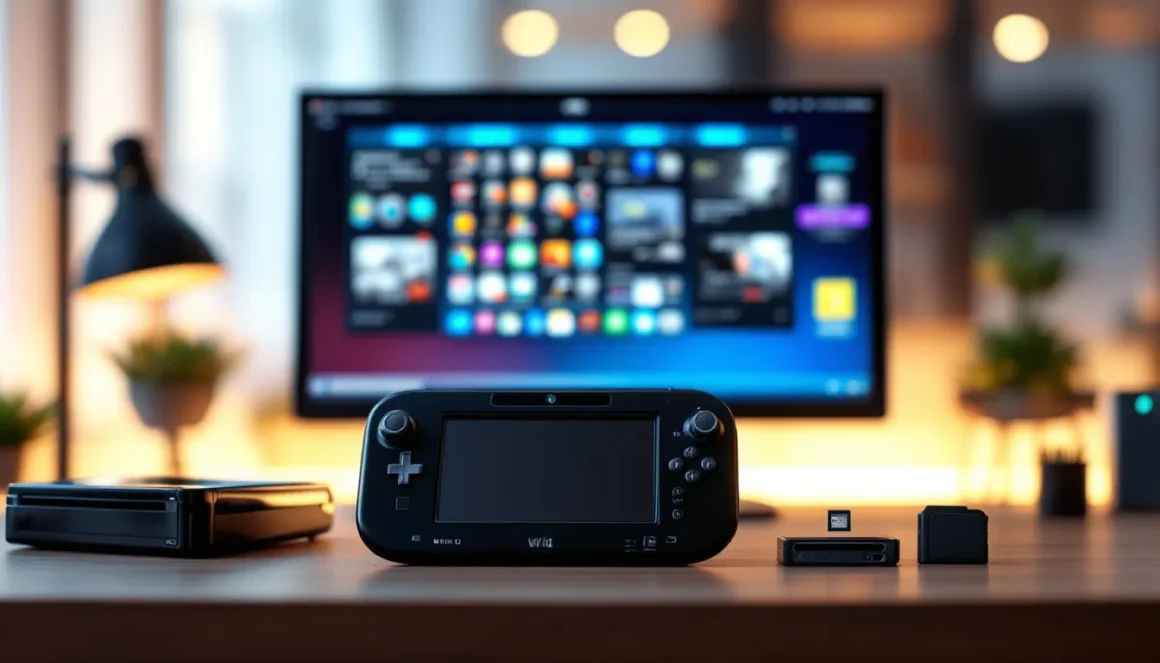
The Wii U may not be Nintendo’s flagship anymore, but it’s far from dead in the modding community. Even though its relatively short lifespan and commercial struggles, the console has become a playground for enthusiasts who want to breathe new life into their hardware. Wii U modding has evolved into a sophisticated, well-documented process that lets gamers install custom firmware, run emulators, play homebrew games, and customize their system in ways Nintendo never intended. Whether you’re chasing nostalgia, exploring retro gaming through emulators, or just want to tinker with hardware, understanding the modding landscape is essential. This guide covers everything you need to know about Wii U modding in 2026, from the technical requirements to the risks, the tools you’ll need, and the incredible possibilities waiting on the other side of installation.
Key Takeaways
- Wii U modding enables installation of custom firmware to run emulators, homebrew games, and access features Nintendo never offered, making the console a versatile retro gaming platform.
- Firmware version compatibility is critical—consoles running 5.5.1 through 5.5.6 are easiest to modify, while later versions require browser or DS game exploits.
- Creating a NAND backup before installation is essential insurance against bricking; soft bricking is recoverable, but hard bricking requires specialized hardware repair.
- Popular emulators like Dolphin (GameCube/Wii), SNES9X, and Genesis Plus GX provide flawless performance on modded systems for retro gaming preservation.
- Online use risks permanent console banning by Nintendo; modders should choose between legitimate online access and full customization rather than attempting both.
- The modern Wii U modding process is safer and more accessible than ever, requiring only an SD card and software tools—no hardware soldering or specialized equipment needed.
What Is Wii U Modding and Why Gamers Are Still Doing It
Wii U modding involves installing custom firmware (CFW) on your console to bypass Nintendo‘s restrictions and run unsigned code. Think of it as jailbreaking an iPhone, but for a gaming console. Once modded, your Wii U becomes a multipurpose machine: it can run homebrew applications (programs created by the community), emulate classic systems, play ROM files from older consoles, and access features Nintendo removed or never offered.
Why are gamers still modding Wii U hardware in 2026? The reasons are surprisingly diverse. Some want to preserve gaming history by running emulators for systems like the NES, SNES, Genesis, and PlayStation 1. Others collect rare or region-locked games and use modding to play titles that never came to their region. A significant portion of the community simply enjoys the technical challenge and the creative freedom modding provides, building custom menus, tweaking system performance, and exploring what happens when you unlock a console’s full potential.
The Wii U’s modest hardware (PowerPC processor, 32GB internal storage on most models) means it’ll never run modern AAA titles, but it’s perfectly capable of handling emulation, indie games, and the growing catalog of homebrew projects. The community around Wii U modding remains active, with regular tool updates, new homebrew releases, and shared knowledge bases that make the process more accessible than ever before.
Prerequisites and System Requirements for Modding
Before you start down the modding path, you need to understand your hardware limitations and gather the right tools. Not every Wii U is equally easy to mod, and having the wrong firmware version can mean the difference between a smooth installation and a bricked console.
Compatible Wii U Models and Firmware Versions
The Wii U came in two storage variants: the white 8GB basic model and the black 32GB deluxe model. Both can be modded, but the 32GB version gives you more room for homebrew applications and emulator ROMs. The key factor isn’t storage capacity, it’s your system’s firmware version.
Wii U modding methods vary depending on firmware version. Consoles running firmware 5.5.1 through 5.5.6 are the most straightforward to modify using tools like Haxchi and Coldboot Haxchi, which exploit vulnerabilities in specific DS virtual console games. Systems on older firmware versions like 5.3.2 or 5.4.x have additional exploit options. If your console is running the latest firmware (5.5.6), you can still mod it, but you’ll need to use a browser exploit or a retail DS game exploit.
Check your system firmware by going to System Settings > System Information. Write it down, you’ll need this information to choose the right installation method.
Essential Tools and Materials You’ll Need
You don’t need specialized hardware or expensive equipment. Here’s what’s essential:
- A Wii U console (obviously) with a gamepad or classic controller
- An SD card (16GB or larger, Class 10 recommended) formatted to FAT32. This is crucial for storing the modding tools and firmware files.
- A compatible DS Virtual Console game or browser access to trigger the exploit. Games like Haxchi-compatible titles (Pokémon Mystery Dungeon: Red Rescue Team, for example) work well if you can find them.
- A computer with an SD card reader to download and organize files
- USB cables (you may need them for transferring files)
- Patience and attention to detail during installation
The beauty of Wii U modding is that it’s entirely software-based. You’re not opening the console, soldering components, or installing hardware mods. Everything happens through the firmware layer, which makes it low-risk compared to console modding on other platforms.
Step-by-Step Guide to Installing Custom Firmware
The modding process has been refined over years of community experimentation. Modern Wii U modding is more reliable than it was in 2015, but it still requires careful attention to detail. Mistakes can result in a bricked console, so follow each step precisely.
Backing Up Your System and Data
Before you touch anything, back up your system. This is non-negotiable.
Navigate to System Settings > Data Management > Copy/Backup/Delete and back up your user data and installed games to an external USB drive or SD card. This serves two purposes: it protects your existing game saves and digital licenses, and it gives you a restore point if something goes wrong.
Next, download the latest version of NAND backup tools (like Wii U NAND Dumper) from the community hub. Run this tool through the Homebrew Channel once you get there, it’ll create a full backup of your console’s system memory. Store this backup file somewhere safe on your computer. If your console ever bricks, this NAND backup is your lifeline for recovery.
Installing Homebrew and CFW
The installation process varies slightly depending on your firmware version, but the general flow is the same:
-
Format your SD card to FAT32 using a computer. Don’t use NTFS or exFAT, the Wii U won’t recognize them.
-
Download the modding tools from trusted community sources. Popular suites like Wii U Modding Pack bundles everything you need: Haxchi, Coldboot Haxchi, the Homebrew Launcher, and essential utilities. These are hosted on GitHub and community forums.
-
Extract files to your SD card in the exact directory structure specified in the guide. A common layout includes:
/wiiu/(core system files)/wiiu/apps/(Homebrew Launcher and apps)/install/(temporary installation files)
-
Trigger the exploit using your method of choice. If using Haxchi, you’ll launch the compatible DS Virtual Console game, which will exploit the vulnerability. Your console will crash or restart, this is expected.
-
Install Coldboot Haxchi for persistence. This ensures your console boots into the modded state every time you power it on. Without this step, you’d need to trigger the exploit manually each boot.
-
Reboot and verify by checking for the Homebrew Launcher in your system menu. If it appears, CFW installation was successful.
The entire process typically takes 30–60 minutes, including downloads and file transfers. Most guides include video walkthroughs alongside text instructions, which are invaluable if you hit confusion points.
Post-Installation Configuration
Once CFW is installed, the real customization begins. Your next steps:
-
Install essential utilities: Programs like WiiU NAND Dumper (for backups), disc2app (to convert game discs to digital), and FTPii (for file management over WiFi) should be added to your Homebrew Launcher.
-
Download emulators: Popular options include Dolphin emulator ports for GameCube games, SNES9X for Super Nintendo, and FCEUX for NES games. Each requires ROM files to function.
-
Customize your system menu: Tools like Custom Boot Logo let you change the startup animation. Some modders create themed menus with custom backgrounds and icon layouts.
-
Enable USB storage expansion: Your internal storage won’t hold many games, so mount an external USB drive to store homebrew apps and backups. Use a tool like Mocha (the CFW base) to configure this automatically on boot.
Popular Homebrew Applications and Games
The Wii U homebrew library isn’t as massive as platforms like the PC, but it’s diverse and growing. Here’s what’s actually worth your time.
Emulators and Retro Gaming
Emulation is the primary reason most people mod their Wii U. The console has enough horsepower to handle most 8-bit and 16-bit systems smoothly, and the gamepad’s built-in screen makes emulation particularly convenient.
Popular emulators include:
- Dolphin Emulator (GameCube, Wii) – Runs most GameCube and original Wii games at full speed. Perfect for playing Wind Waker or Twilight Princess in high resolution.
- SNES9X – Accurate SNES emulation with support for ROM hacks and fan-made games. Performance is flawless for the full library.
- FCE Ultra – NES emulation that handles the entire library, including obscure Japanese Famicom titles.
- Genesis Plus GX – Sega Genesis emulation that also covers Master System, Game Gear, and SG-1000 games.
- Mednafen/Beetle – Accurate PSX emulation, though it requires more CPU power. Simpler games like Chrono Trigger run great: AAA titles may struggle.
- Hanayama Picross and Picross Luna – Puzzle games built specifically for Wii U modding, showcasing what homebrew developers can create.
There’s also active development around Homebrew games, original titles like Wii U Homebrew Launcher ports and indie games designed to run on modded consoles. The community releases new projects regularly, though quality varies wildly.
When searching for emulator ROMs, remember that copyright laws are complex. Personal backups of games you own are generally legal: downloading ROMs for games you don’t own exists in a gray area depending on your jurisdiction. Some communities maintain curated lists of public domain games and freeware titles that are unambiguously legal to download.
Utility Apps and System Enhancements
Beyond gaming, the Wii U’s modding community has created tools that genuinely enhance the system experience.
Key utilities:
- WiiULoader GX2 – A custom game loader that organizes your library and lets you launch games from internal storage or USB without physical discs.
- Cafiine – Allows dynamic content replacement, letting modders replace game assets (textures, music, characters) on the fly. Used for everything from texture packs to complete aesthetic overhauls.
- Gamepad Plugin – Enhances gamepad functionality, allowing remapping and custom controller layouts.
- FTPii – Run an FTP server on your Wii U to transfer files wirelessly from your PC, eliminating the need for constant SD card shuffling.
- Bloopair – Enables Bluetooth connectivity for more modern controllers, including PlayStation and Xbox pads.
These aren’t flashy, but they transform the Wii U from a console into a customizable platform. For the technically inclined, developer tools like devkitPPC let you compile homebrew applications from source code, which is how new emulator ports and games get created.
Common Risks and How to Avoid Them
Modding carries real risks. While modern Wii U modding is safer than console modding in previous generations, mistakes can still render your console unbootable. Understanding the dangers and how to mitigate them is critical.
Bricking and Data Loss Prevention
A “brick” occurs when your console becomes unresponsive or won’t boot at all. There are different types:
- Soft brick: Console won’t boot, but recovery is possible by holding buttons or using recovery tools. Usually caused by interrupted installations or corrupted boot files.
- Hard brick: Complete system failure. The console won’t respond to any input and can’t be recovered without specialized hardware or NAND chip replacement.
- Permanent brick: Theoretical in Wii U modding due to failsafes in the hardware, but essentially unrecoverable.
How to avoid bricking:
-
Follow guides exactly. Community resources like How-To Geek gaming setup tutorials provide step-by-step walkthroughs. Don’t skip steps or improvise.
-
Use only recommended tools and versions. Outdated or untested CFW versions can cause conflicts. Stick to current releases from trusted sources like GitHub or established modding forums.
-
Create a NAND backup before installing CFW. This is your insurance policy. If something goes wrong, you can restore your original system state using recovery tools and the backup file.
-
Don’t interrupt installations. Never unplug your console, eject the SD card, or force shutdown during CFW installation. These processes can be interrupted at certain points, but attempting to force-quit mid-installation is a guaranteed brick.
-
Keep your SD card healthy. A corrupted SD card can cause cascade failures during boot. Test your SD card for errors regularly using tools like SD Card Formatter on your computer.
-
Understand your CFW’s failsafes. Modern Wii U CFW like Tiramisu has safeguards that prevent critical system files from being modified. Older CFW versions like early Haxchi had fewer protections.
If you do somehow soft-brick your console, recovery is usually straightforward: boot into recovery mode (often by holding specific buttons during startup), restore your NAND backup, or reinstall CFW. Hard bricking is extremely rare with modern tools, but it does require NAND chip soldering to recover, far beyond casual modding territory.
Online Safety and Account Considerations
Once your console is modded, using it online introduces new concerns:
-
Nintendo banning your console: If Nintendo detects modding activity, they can permanently ban your console’s serial number from online services. This means no eShop access, no online multiplayer, and no system updates. Technically it’s possible to spoof your console’s information, but this is highly advanced and carries its own risks.
-
Account security: Never use a personal Nintendo account on a modded console if you care about online services. Create a separate profile for local play. If you absolutely need online access, research the current state of detection evasion (which changes as Nintendo updates their detection methods).
-
Game updates and patches: Downloading system updates on a modded console can overwrite CFW with official firmware. Disable automatic updates in System Settings and manually check guides before updating.
-
Backup your digital licenses: If you’ve purchased digital games, back up your licenses before modding. You can transfer them back to a fresh console if your modded system ever gets banned.
Most modders accept the ban risk as part of the hobby. You’re trading legitimate online access for complete customization. If online functionality is critical to you, reconsider modding, the risk calculation changes if Splatoon 2 or Mario Kart 8 online play is your primary use case.
Troubleshooting and Maintenance Tips
Even with perfect execution, issues can crop up. Here’s how to handle common problems and keep your modded system healthy.
CFW won’t boot after installation: First, try holding the power button for 30 seconds to do a full shutdown, then boot normally. If that fails, boot into recovery mode (exact button combo depends on your CFW version) and check that Coldboot Haxchi is properly installed. If recovery mode isn’t accessible, you’re likely soft-bricked and need to restore your NAND backup using recovery tools.
Homebrew apps crash or won’t launch: This usually means the app files are corrupted or in the wrong directory. Redownload the app, verify the folder structure matches guides exactly, and ensure your SD card isn’t full. File corruption on the SD card itself is another culprit, test it with H2testw or similar tools.
Emulators running slow or lagging: Wii U hardware isn’t unlimited. If an emulator struggles, try reducing graphics options (lower resolution, disabled scanlines, simpler shaders). Swap to a faster SD card, Class 10 cards are standard, but Class 3 or older cards will cause performance hits. Also verify you’re running the latest emulator version: performance is constantly improved by developers.
Can’t detect external USB drives: Your Wii U supports USB 2.0 drives up to 2TB. Make sure the drive is formatted to FAT32 (not NTFS). If your drive has its own power cable, use it, the console’s USB ports don’t provide enough power for some drives. Try different ports and verify the drive works on a computer first.
Gamepad disconnects or doesn’t sync: Sync the gamepad through System Settings > Gamepad Settings > Sync. If it keeps disconnecting, the battery may be low or the console’s Bluetooth module may have issues. Resync and restart the console.
Regular maintenance: Periodically check that CFW is still installed by looking for the Homebrew Launcher in your system menu. Avoid letting your console overheat, ensure vents are clear and use it in well-ventilated spaces. Back up your NAND periodically in case of unexpected corruption. Update your emulators and homebrew apps when developers release new versions.
For more complex issues, the Wii U modding community maintains extensive FAQs and troubleshooting threads on forums like modding archives. Search your specific error before asking for help, chances are someone’s encountered it before.
Conclusion
Wii U modding in 2026 represents the intersection of preservation, customization, and technical hobby gaming. The process has matured to the point where careful followers can reliably install CFW without bricking their console. What was once a risky undertaking for experts is now accessible to anyone willing to follow detailed guides and respect the hardware’s limitations.
The real appeal lies beyond the initial installation. Your modded Wii U becomes a retro gaming hub, a platform for emulation, and a sandbox for technical experimentation. Whether you’re chasing nostalgia for Super Nintendo games, exploring indie homebrew titles, or simply customizing your console to your exact preferences, modding unlocks possibilities Nintendo never advertised.
The risks are real but manageable: console bans are likely if you go online, bricking is possible but rare with modern tools, and you’re voiding your warranty. Weigh those against what you gain. For most enthusiasts, the trade-off is worth it. Your Wii U goes from a legacy console gathering dust to an actively maintained gaming platform with a thriving community behind it. Given that Nintendo has moved on to the Switch and beyond, Wii U modding represents one of the best ways to keep the hardware alive and relevant for the next generation of gamers discovering it for the first time.