
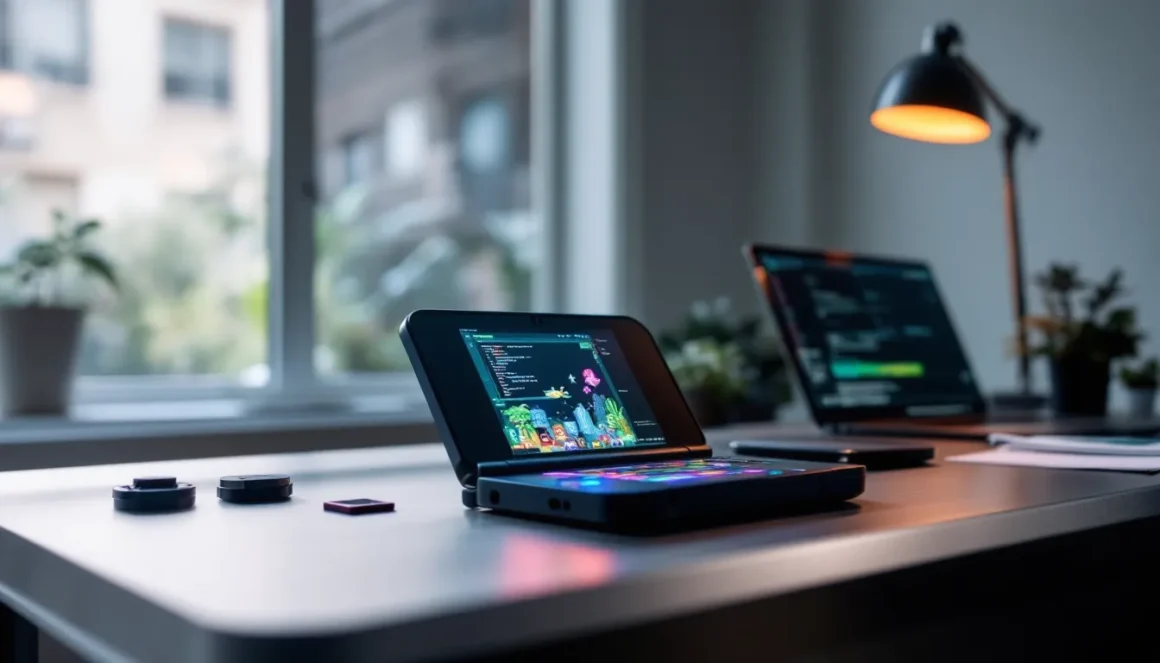
The Nintendo 3DS may have aged a decade, but its modding community remains as vibrant as ever. Whether you’re looking to play ROM hacks, run emulators, or unlock features Nintendo never intended, 3DS modding opens up possibilities the stock console can’t touch. But here’s the thing: modding a 3DS isn’t a casual weekend project anymore, it’s become a refined process with clear best practices, safety guidelines, and specific tools that work best in 2026. This guide walks through everything you need to know, from the mechanics of custom firmware to the legal landscape you’re navigating. Whether you’re a first-timer or returning to the scene after years away, we’ll cover the exact steps, the tools that matter, and the gotchas you need to avoid.
Key Takeaways
- 3DS modding has become a refined, safe process in 2026 with established tools like Luma3DS and clear best practices that take 20–30 minutes to complete when following reliable guides.
- Custom firmware installation unlocks ROM hacks, emulators, and game backups, allowing you to run Game Boy, NES, SNES, and other classic games on a single portable device.
- Legal risks exist around ROM distribution and copyright, but Nintendo’s enforcement focuses on commercial services rather than individual hobbyists, and backing up cartridges you own sits in a defensible gray area.
- Critical safety practices include backing up your SD card before starting, verifying your firmware version, using reputable community sources for tools, and enabling NAND backups to prevent expensive hardmod repairs.
- The 3DS modding community will remain stable but niche as the console ages, making now the ideal time to mod before hardware becomes scarce and prices increase further.
- Popular 3DS mods include Pokémon ROM hacks like Radical Red and Gaia, custom themes through Anemone3DS, and emulators like RetroArch for accessing entire libraries of retro games.
What Is 3DS Modding and Why Do Gamers Use It?
3DS modding refers to modifications made to the Nintendo 3DS hardware or software to change how it operates. At its core, modding a 3DS typically means installing custom firmware (CFW), essentially replacing or patching the console’s operating system with a community-built alternative that gives you unprecedented control.
But why do gamers bother? The reasons vary widely. Some want to play ROM hacks, fan-created modifications of existing games that add new content, difficulty modes, or entirely reimagined narratives. Others want to run emulators to play classic games from older systems on a portable device. Many just want to back up their own game cartridges legally or customize the user interface beyond Nintendo‘s constraints.
The appeal is straightforward: a modded 3DS becomes whatever you want it to be. It’s not about piracy for most serious modders, it’s about extending the life of hardware Nintendo stopped supporting years ago. The 3DS has an incredible library, and modding lets you access it all on one device without needing a dozen cartridges.
From a technical standpoint, modding a 3DS involves exploiting vulnerabilities in older firmware versions or using physical modification methods. The process has become safer and more standardized over the years, with community guides that walk users through each step. Unlike early modding days, modern 3DS modding is relatively low-risk if you follow proper procedures.
Types of 3DS Mods: From Custom Firmware to Game Enhancements
Custom Firmware (CFW) Installation
Custom firmware is the backbone of 3DS modding. CFW replaces the stock operating system with a modified version that removes restrictions and adds functionality. The most popular CFW options include Luma3DS, which is the industry standard in 2026, and EmuNAND-based setups for users wanting extra security.
Luma3DS is incredibly lightweight and allows you to run games from backups, install homebrew applications, and customize nearly every aspect of the console’s behavior. Installing CFW doesn’t erase your games or data if done correctly, it simply gives you access to files and settings Nintendo kept hidden. The process typically takes 20-30 minutes if you’re following a reliable guide and have the right exploit for your firmware version.
The key difference between CFW types comes down to how they manage the console’s file system and whether they preserve your original operating system in a separate partition (called EmuNAND). Most modern modders stick with Luma3DS on SysNAND because it’s simpler and the safety risks have been thoroughly documented and mitigated.
Game ROM and Emulator Mods
Once you’ve got CFW running, the next step for many modders is accessing ROM files and emulators. A ROM is a digital copy of a game cartridge, and emulators are programs that run ROMs from other systems, think playing Game Boy, NES, or even PlayStation 1 games on your 3DS.
ROM hacks are separate from raw ROM files. These are fan-modified versions of existing games where creators have changed level design, added new mechanics, or completely rewrote the story. Pokémon ROM hacks are incredibly popular, games like Pokémon Emerald hacks let you play with a vastly expanded Pokédex, improved AI trainers, and balanced difficulty. You’ll find communities on Reddit and dedicated forums sharing these hacks, though sourcing them requires knowing where to look.
Emulators for the 3DS are plentiful. RetroArch is the most flexible option, supporting dozens of systems through cores you can install. mGBA is the go-to for Game Boy Advance games, it’s lightweight and handles nearly every GBA title perfectly. If you want NES or SNES games, Nestopia and SNES9x work exceptionally well on 3DS hardware.
The legal gray area here is important: backing up games you own is defensible, but distributing or downloading ROMs of copyrighted games sits in murkier territory depending on your region. Most modders accept this risk, but it’s worth understanding what you’re doing before you start.
Visual and Audio Enhancement Mods
Beyond firmware and game backups, visual mods let you transform how the 3DS looks. Custom themes replace the default system UI with everything from anime aesthetics to minimalist dark modes. Theme Plaza, before Nintendo took it down, was the hub for these. Now communities like the ones on Reddit and Discord host theme collections.
Some users go deeper and install custom splash screens, boot logos, or even modify the HOME menu layout itself. These are entirely cosmetic but give your console personality. For emulated games, you can apply shaders, image filters that smooth pixelated graphics or add scanlines for that authentic CRT feel. RetroArch’s shader system is robust enough that you’re limited only by your taste, not technology.
Audio mods are less common but exist. Some ROM hacks or emulators let you swap background music or apply audio filters, though the 3DS’s audio hardware limits what you can do compared to more powerful systems. Still, replacing a game’s tinny default audio with a remastered soundtrack is entirely possible with the right tools.
Step-by-Step Guide to Modding Your 3DS
Pre-Modding Requirements and Preparation
Before you touch your console, gather the essentials. You’ll need a computer (Windows, Mac, or Linux all work), a way to copy files to a microSD card (a card reader or USB adapter), and a microSD card, most users recommend at least 32GB, though 64GB is safer if you plan on storing games.
Next, determine your firmware version. Go to System Settings > Other Settings and scroll to the bottom. Your firmware version determines which modding method works best. Firmware 11.17 (the most recent as of early 2026) still has working exploits, though the method differs from older versions.
Back up everything. Copy your SD card’s contents to your computer before starting anything. This takes five minutes and saves massive headaches if something goes sideways. Also, charge your 3DS fully. A dead battery mid-installation can brick your console, and while modern methods are safer than the old days, you don’t want to risk it.
Download the modding toolkit for your specific firmware. Most guides on GitHub provide pre-compiled files you need, but verify you’re using the current version, modding tools update regularly, and using outdated software is a common source of problems.
Installing Custom Firmware Safely
The safest method in 2026 involves using an exploit delivered through a specific method depending on your firmware. The most straightforward approach uses the Soundhax exploit for older firmwares or FreakyForms Deluxe: Your Creations Redefined cartridge for newer ones, though availability varies.
Once you’ve triggered the exploit, follow the on-screen prompts carefully. You’ll be installing boot9strap, which is the foundation that Luma3DS sits on top of. The installation script walks you through copying files, running patches, and verifying everything’s correct. Don’t skip steps or rush through, read each prompt fully.
After boot9strap installs, you’ll install Luma3DS itself. This is nearly automated: the script handles most of it. Restart your console when prompted. On the first boot, you might see a black screen for up to a minute, this is normal. Be patient.
Once Luma boots, you’ll see a configuration menu. The defaults are fine for most users. Enable options like “Show NAND or user string in System Settings” if you want to verify your setup is working. Save and exit. Your home menu should load normally, but now you’ve got CFW running underneath.
Verify the installation by going to System Settings > Other Settings and checking that you see additional information at the bottom (proof Luma’s patching the system). If it’s there, you’re golden. If not, rerun the installation script.
Troubleshooting Common Installation Issues
The most common problem is a black screen after installation. This usually means Luma3DS didn’t install correctly or your microSD card has a file corruption. Solution: reformat your SD card (back up its contents first), redownload the Luma3DS files fresh, and rerun the installation.
Another frequent issue is the exploit failing to trigger. This typically happens because you’re using the wrong exploit for your firmware version or the exploit files on your SD card are corrupted. Double-check your firmware version, download the correct exploit files from the official GitHub repository, and try again.
If your console won’t boot at all, don’t panic. Recovery mode exists for exactly this reason. Hold L + R + Up + A while powering on to boot into recovery. From there, you can reformat your system without losing your NAND backup (assuming you made one, which you should have).
For users who encounter crashes after installation, the culprit is usually a problematic homebrew app or a corrupted CIA file (game installation file). Try uninstalling recent additions and see if stability returns. If that doesn’t work, verify your SD card’s file system integrity using your computer’s built-in tools.
One more critical note: if anything goes wrong and you genuinely brick your console (it won’t boot at all even in recovery), you’ll need to hardmod, physically opening the console and using a programmer device to restore the NAND. This is expensive and complicated, which is why careful following of instructions matters.
Popular 3DS Mods and Tools Every Modder Should Know
Essential Modding Tools and Software
Once CFW is running, several tools become indispensable. FBI is the go-to CIA installer, it lets you install games, themes, and apps directly from your SD card. It’s straightforward and handles almost every file type you’ll throw at it.
Checkpoint is a save manager that lets you back up game saves to your SD card with one button. Critical if you’re juggling multiple save files or testing ROM hacks where you want to experiment without losing progress. The interface is clean, and it works with both retail and dumped games.
Anemone3DS is the modern theme manager. Install custom themes, flip between them, and even create your own using a template system. The themes community is still active even though Nintendo shutting down Theme Plaza years ago.
GodMode9 is the power user’s tool, a file browser that can back up your entire console, decrypt games, manage saves, and perform low-level operations. Beginners don’t need it, but if you’re serious about modding, understanding GodMode9 is worth the learning curve. It’s powerful enough to brick your console if misused, so don’t experiment without reading documentation first.
Homebrew Launcher is your gateway to running unsigned applications. Once installed (which CFW makes trivial), you can launch apps that would never pass Nintendo certification. Game modding tools, emulators, media players, it all runs here.
For specific game modding, NTR CFW (an older custom firmware branch) was historically used for real-time game modification, but it’s largely obsolete now. Most ROM hacks and enhancements work directly through game files rather than runtime patching.
On the community side, Nexus Mods hosts ROM hacks and mods for various systems. While the 3DS section isn’t as massive as PC gaming sections, it’s curated and you’ll find quality content there.
Fan-Favorite Game Mods and ROM Hacks
Pokémon ROM hacks dominate the 3DS modding scene. Pokémon Radical Red is a beloved hack of FireRed that adds Pokémon up to Generation 9, rebalances the entire game for difficulty, and includes quality-of-life improvements like a physical/special split (the mechanical change that separates move effectiveness from attack type). It’s challenging, well-designed, and proof that ROM hackers are as skilled as professional developers.
Pokémon Emerald ROM hacks are equally popular. Games like Pokémon Gaia overhaul the original Emerald with new Pokémon, a harder level curve, improved trainer AI, and additional postgame content. These hacks often take 40+ hours to complete and offer genuine replay value.
Outside Pokémon, The Legend of Zelda ROM hacks exist, though fewer than Pokémon. A Link to the Past hacks are more abundant on other platforms, but the 3DS can run SNES emulation well enough to play them.
Fire Emblem ROM hacks and FE7 hacks through emulators are popular with tactics RPG fans. The community is smaller but dedicated, with hacks ranging from simple difficulty rebalances to entirely new campaigns.
For action games, emulated N64 and GameCube games (through Dolphin emulator, though performance is limited) offer nostalgic experiences on a portable device. The 3DS struggles with N64 emulation, games like The Legend of Zelda: Ocarina of Time run, but with frame rate drops, but lighter 8-bit and 16-bit games run flawlessly.
The broader point: ROM hacking has matured. Modern hacks aren’t just difficulty increases or sprite swaps. They’re full-featured games with new stories, rebalanced mechanics, and production values rivaling official releases. Many top ROM hackers could land jobs at game studios, they’re that skilled.
Resourceful modders also install custom versions of emulators through Homebrew Launcher. Twinfinite covers emulation guides and gaming walkthroughs that often reference playing classics on handheld systems, giving you additional context for what’s possible when you explore emulation on your modded console.
Legal and Safety Considerations for 3DS Modding
Understanding Copyright and Intellectual Property
Let’s address the elephant in the room: modding a 3DS exists in a legal gray zone in most countries. Installing custom firmware itself isn’t inherently illegal in the US or EU under current law (though Nintendo would dispute this). The Digital Millennium Copyright Act (DMCA) technically prohibits circumventing copy protection, and modding arguably does that.
But, enforcement is selective. Nintendo pursues brick-and-mortar modification services, not individual hobbyists quietly modding personal consoles. That said, understanding the legal landscape matters.
ROM distribution is where legality gets clearer: downloading copyrighted games you don’t own is copyright infringement, full stop. Backing up cartridges you own is murkier, some jurisdictions recognize personal backup rights: others don’t. Playing ROM hacks of games you own is also a gray area: hackers argue they’ve transformatively modified the work, but Nintendo argues it’s still derivative of copyrighted material.
The practical reality is that modding communities operate with the understanding that legal risk exists. Most modders accept this and proceed anyway. If you’re risk-averse, you can still benefit from CFW by playing games you own off the SD card (legitimately dumped from your cartridges) and using homebrew applications, neither of which directly violates anyone’s copyright.
ROM hacks present a different question. Pokémon hacks, for instance, use Pokémon intellectual property extensively. The creators know they’re technically infringing and operate in spaces Nintendo generally ignores (like indie communities on itch.io or Reddit). This isn’t legal permission, it’s tacit tolerance.
Protecting Your Console and Avoiding Bans
Here’s what most modders worry about: will Nintendo ban my console online? The practical answer in 2026 is nuanced.
Nintendo’s anti-piracy detection for 3DS is minimal compared to modern systems. The 3DS online infrastructure is old and receives minimal maintenance as Nintendo focuses on Switch. You can play online with a modded 3DS without immediate risk, but Nintendo’s detection isn’t zero.
To minimize ban risk, follow these practices:
Don’t play obviously pirated content online. Using CIA files (dumped games) on your console is fine offline. Playing them online while connected to a matched console ID makes you a target if Nintendo’s automated systems catch it.
Keep your system software and Luma3DS updated. Outdated software is a security vulnerability. Updates patch exploits, and while that’s technically bad for modding, it’s good for security. Balance matters, staying on a functional firmware version is safer than constantly updating.
Don’t use online features with modified game files. Games like Pokémon that check save data integrity can flag unusual modifications. Locally playing a ROM hack is fine: playing it online with leaderboards or multiplayer is riskier.
Use a clean SD card image. Before going online, make sure you’re not running pirated games or homebrew with suspicious origins. A clean system looks more like a legitimate console.
Enable AutoBackup for your NAND. If something goes wrong, having a clean backup of your original system means you can restore legitimacy in minutes. This is your insurance policy.
Ban risk on 3DS is genuinely lower than on Switch because the infrastructure is older and less monitored. That said, don’t test Nintendo’s patience. The community consensus is that discrete personal modding, playing ROM hacks and emulators offline, is acceptably risky, while running a full piracy operation is asking for trouble.
One safety note: only download modding tools and ROMs from established community sources. GitHub repositories for CFW tools are vetted by thousands. ROM sharing sites vary wildly in trustworthiness: malware does exist in sketchy ROM collections. Use reputable archives or communities like Nintendo Life, which covers Nintendo topics broadly and can guide you to legitimate information about your console.
Bricking your console is a bigger practical risk than bans. A brick means your hardware is dead (or requires expensive repair). This is why every step of the installation process emphasizes backups and following instructions precisely. One file corruption or power loss during installation and you’re looking at a $100+ hardmod recovery cost. That’s real risk, ban risk is theoretical.
The Future of 3DS Modding: What’s Next?
The 3DS modding scene in 2026 is stable but static. The console reached end-of-life status in 2020, and hardware is aging. Finding unmodified consoles to mod is getting harder as collectors grab remaining stock, and prices are climbing.
What’s likely ahead: modding tools will become more refined but fewer new innovations will arrive. The exploits currently used are well-understood, and patching them would require new firmware updates, which Nintendo isn’t releasing. So the technical landscape feels frozen, which is actually good for stability. The guide you read today will work in 2027 and 2028.
The ROM hacking community will probably consolidate. Major projects like Pokémon Radical Red are complete and stable: new hacks will emerge, but they’ll build on established tools rather than inventing new ones. Quality will likely increase as tools mature and tutorials improve.
Emulation is the wild card. The 3DS’s hardware is weak by modern standards, but optimization never stops. As emulator developers push the platform, expect N64 emulation to improve (currently janky in many games) and more complex systems to become playable. Whether practical N64 emulation ever arrives on 3DS remains questionable, the hardware math just doesn’t favor it.
Community-wise, expect the 3DS modding space to become more niche. As the Switch dominates handheld gaming, fewer new people will mod a 3DS. The existing community will persist, these consoles are durable, and nostalgia is powerful, but it’ll shrink gradually. This actually makes the community tighter and more knowledge-rich: casual interest drops away, leaving serious modders.
Longevity-wise, modded 3DS consoles will remain functional and usable for years. They’re well-built hardware, and software doesn’t degrade. The risk is hardware failure (screens break, buttons wear out, batteries die), not obsolescence of mods themselves.
For gamers considering modding a 3DS now, the calculus is straightforward: if you want access to ROM hacks, emulators, and a customized handheld right now, jump in. The process is proven, tools are mature, and communities are helpful. The learning curve is real but manageable. If you’re waiting for modding to become easier or safer, you’re waiting for something that probably won’t change significantly. The time to mod a 3DS is now, before hardware becomes scarce and prices climb further.
Conclusion
3DS modding in 2026 isn’t cutting-edge, it’s a refined, documented process with clear steps and proven tools. Whether you’re interested in modding a 3DS to play ROM hacks, run emulators, or customize your console’s appearance, the barrier to entry is lower than ever.
The key takeaway: follow established guides exactly, back up your data obsessively, and understand what you’re doing before you do it. Modding a 3DS is genuinely safe when you approach it methodically, but shortcuts and carelessness create real problems.
The 3DS library is vast, and modding unlocks possibilities the stock console can’t touch. If you’ve been sitting on the fence, the infrastructure is there. The community is helpful. The tools are accessible. The only ingredient missing is your first step. Take it carefully, and you’ll join thousands of gamers who’ve transformed their 3DS into something uniquely theirs.
For deeper dives into modding other Nintendo systems, Master the Art of Modding: Enhancing Your Nintendo Experience covers broader territory across the Nintendo ecosystem. And if you want to explore modding beyond Nintendo, the Modding Archives on Geekforcenetwork have guides for other platforms as well.